In under an hour, set up your iPhone to get into every account on the first try. No more "forgot password" or calling your loved ones for help.
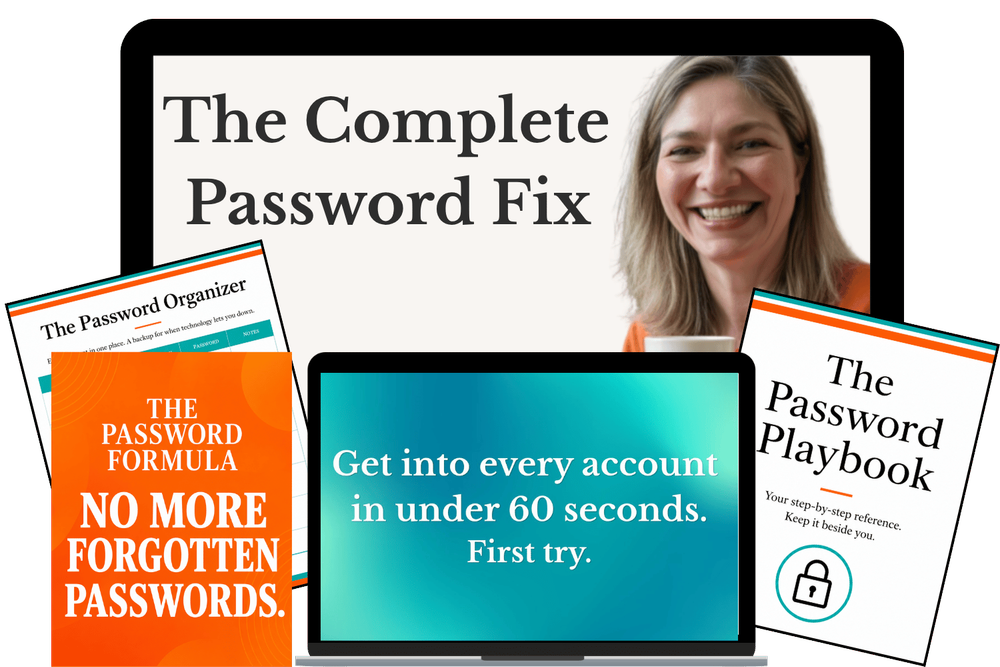
Taught by Gin Peterson, award-winning cybersecurity teacher.
Your bank, your email, and your bills open the second you reach for them. Locked tight to everyone else. One touch for you.
Even if you have reset the same password a dozen times. Even if you have decided this stuff is just not for you.
✓ Log in on the first try, or you don't pay. Email within 30 days for a full refund.
Press play. I'll show you exactly how this works.
Maybe this sounds familiar
Locked out again. You hand the phone to someone else. They fix it in four seconds. And every time, you think the same thing.
A bill sits unpaid because the login won't work. A doctor's appointment doesn't get booked, so you decide you'll deal with it tomorrow. Again. There's a notebook somewhere with thirty crossed-out entries for a single account, and none of them are the right one anymore.
You've started to wonder if the problem is you. If maybe your memory just isn't what it used to be.
It's not you. And it never was.
You were handed a broken system and told it was your fault
For twenty years the advice has been the same. Make your passwords stronger. Make them more complicated. Never use the same one twice. That advice solved one half of the problem, the security half, and completely ignored the other half.
Can you actually get back in?
Nobody taught you that part. So you did the reasonable thing and wrote them down. But the notebook got left behind. The rules kept changing. Websites forced new ones. Apps wanted their own. Nothing stayed the same long enough to write down once and be done with it.
That's not your memory failing. It's just something nobody ever showed you how to do.
A system so secure that you can't get into it yourself isn't keeping you safe. It's just keeping you out.
Why the things you've tried never stuck
The notebook. Secure in a way. Impossible to keep current. One account, thirty scratch-outs, and you're still guessing.
Making passwords "stronger." You followed the advice to the letter and ended up with strings of characters that look like the keyboard got smashed. Safe, maybe. Rememberable, never.
The thing your son or daughter set up. It works until something changes, and then you can't repeat it, because it was never explained to you. So you're back to handing over the phone.
Watching a YouTube video. You followed along, it worked once, and a week later it was gone. A one-off video shows you the steps. It doesn't set you up so it sticks.
Downloading a separate password app. One more app to learn, one more login to distrust, one more thing to get locked out of. Meanwhile your iPhone already has this built in. You don't need to add a thing.
None of these failed because of you. They failed because they only ever solved half the problem.
You already own the fix. It just was never turned on right.
Your iPhone has a password tool built into it already. You paid for it. It can remember every password for you and fill them in with one touch.
But out of the box it sits half-on. It helps with a few accounts and simply ignores the rest. That's why nothing ever feels reliable, and why you never trusted it enough to lean on it.
The Complete Password Fix walks you through turning it on properly, so it covers every account instead of some. Then it adds two things the phone alone doesn't give you.
A password formula. A way to build a password that's strong enough to keep your account locked tight, but built so you can always get back into it. Not a random string of characters. Once you know the method, every new password takes seconds, and it keeps working no matter what Apple changes on screen.
A backup organizer. For the handful of passwords the phone can't remember, you get a reliable written record you control. All the security of having it written down, none of the notebook full of crossed-out guesses. This is your failsafe for the moments technology doesn't cooperate.
You were always told it was one or the other. A password locked down tight, or one you can actually get back into. That was never a real choice. Here, you get both.
The next time you reach for an account, you're just in
You reach for your bank. You're in. First try. No notebook, no sticky note, no list of crossed-out guesses to hunt through.
The bill gets paid. The doctor's appointment gets booked. The boarding pass loads right there at the gate, and your stomach doesn't drop.
No phone gets handed to your daughter. No call to your granddaughter. You're the one who just reaches for the account and is in, the way you've handled everything else your whole life.
That's not someone else. That's you, with a phone that's finally set up right. And it's under an hour away.
What you get
- 7 short video lessons (about 30 minutes total) that walk you through the exact iPhone setup, at your own pace, done in under an hour. No jargon. Nothing skipped. ($97 value)
- The Password Formula so you can make a password that's strong and one you can always get back into, in seconds, every time. ($47 value)
- The Password Playbook A printable reference guide to keep beside you as you go. ($27 value)
- The Password Organizer Your reliable written backup for anything the phone can't remember. ($27 value)
- BONUS: Live Q&A Zoom call with Gin. It happens live on Friday, September 4 at 11am ET. Grab it today and your seat is included. Bring whatever password problem is giving you trouble and she answers it live. If you ever worry "what if I get stuck," this is the answer. ($75 value)
Everything above is worth $273. Today it's yours for $37.
But don't take my word for it. Try it yourself, risk free, with our 30-day money-back guarantee.
Delivered to your inbox the moment you buy. Lifetime access, yours to keep, including future updates. No app to install. No subscription. No renewal.
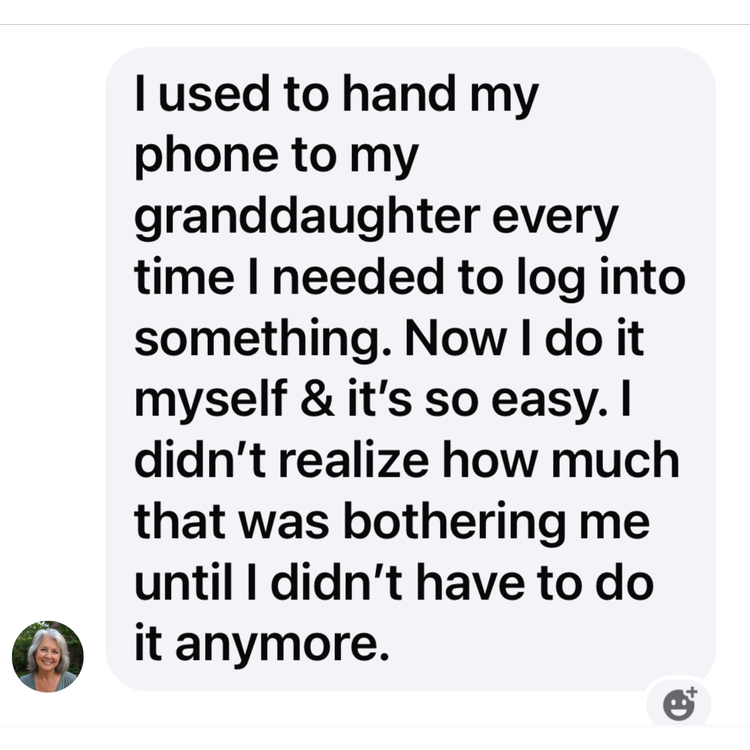
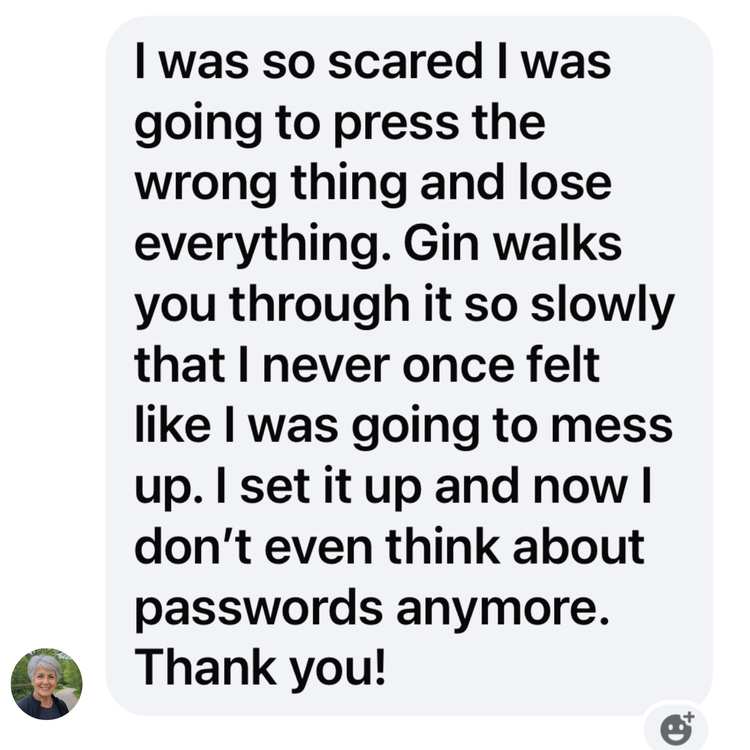
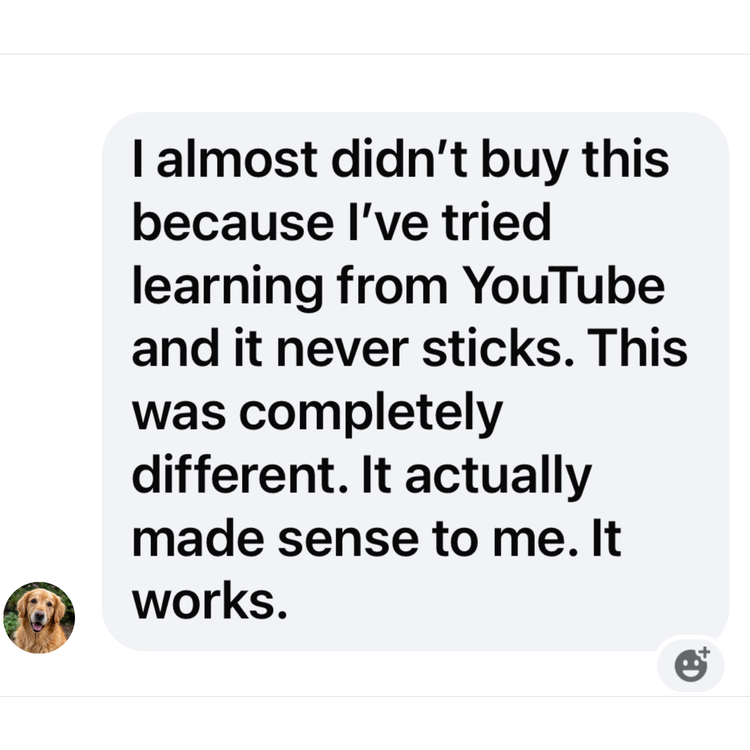
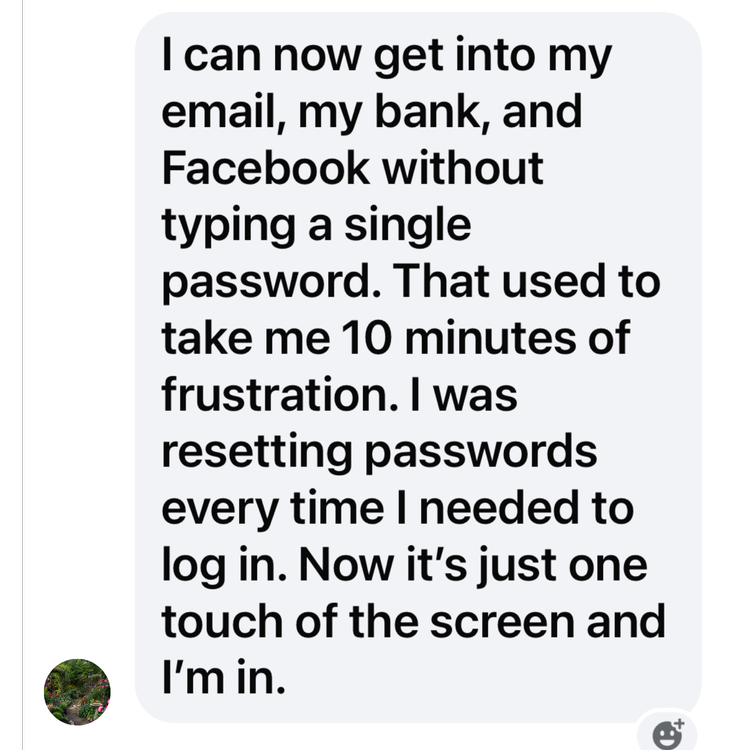
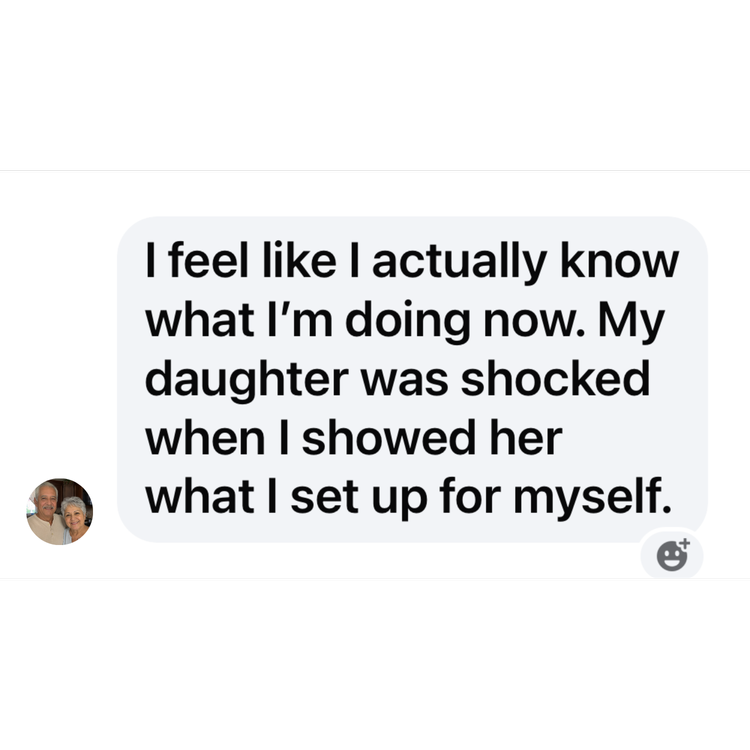
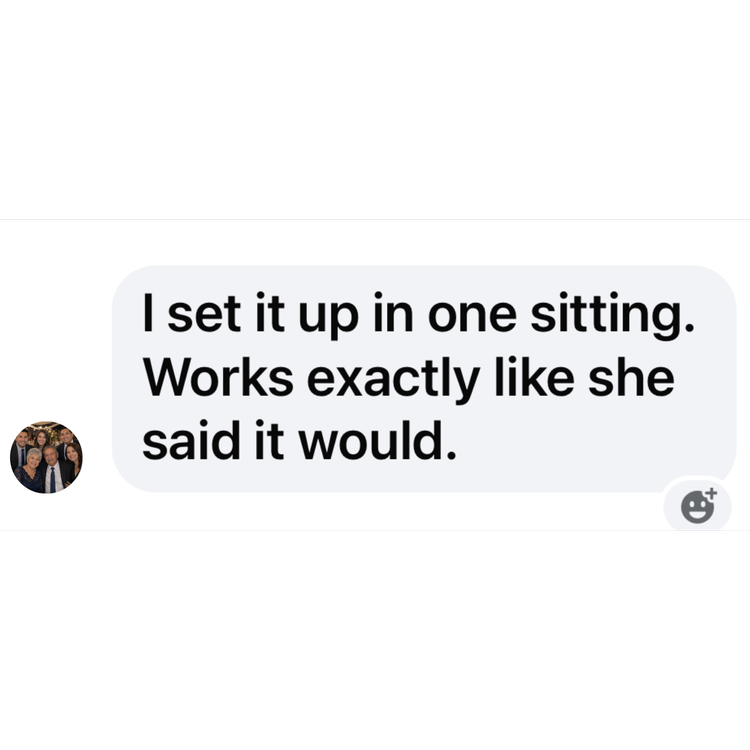
From people who set it up themselves
Real messages from buyers, exactly as they came in.
Meet your teacher

Gin Peterson
I've spent 21 years teaching, and I've watched capable, accomplished people be made to feel slow by a screen that was never set up for them.
So I'll tell you something that might surprise you coming from me. The advice everyone gives, make your passwords stronger and more complicated and never the same twice, is only half the answer. Because a system you can't get into yourself isn't keeping you safe. It's just keeping you out. I built this to fix the other half.
Certified Cybersecurity Teacher • Winner, National Cybersecurity Teaching Award (US) • 21 years experience • 74,700+ YouTube subscribers
Is this for you?
This is for you if
- You own an iPhone and are tired of getting locked out of your own accounts
- You keep a notebook or sticky notes and still can't find the right password
- You're done handing your phone to a spouse, a kid, or a grandchild to fix it
- You want to learn to do it yourself, at your own pace, and actually keep it
This isn't for you if
- You use an Android phone (this is iPhone only)
- You already run a password manager and love it
- You want enterprise or business password security
- You want someone to do it for you instead of learning it
Getting it for a parent or an older relative? Many people do. It makes a good gift, and they set it up themselves.
Take a peek inside. This is what a lesson actually looks like.
Thirty seconds. Watch how slowly and clearly each step is shown, so you can picture yourself doing this on your own phone.
It isn't just the hassle. A system you can't get into is a door left open.
A password you can't keep track of is a password you end up reusing, or writing somewhere it can be found. That is the exact door a scammer needs, and they only need it open once.
There's a harder wall too. Keep guessing and resetting, and you reach the point where the phone locks you out on purpose. People lose their own bank and email for days this way, right when they need them most.
None of this is here to frighten you. It's the honest reason this is worth an hour now instead of someday. The very setup that makes logging in effortless is the setup that keeps everyone else out. Secure to the world. Open to you.
Every week you wait is a week that door stays open.
One payment. Yours for good.
Look at the trade for a second. This protects how you get into every account you own. It takes about an hour, on the phone already in your pocket. It costs less than one dinner out, once, and it's yours for good. An hour and $37 against another year of getting locked out of your own accounts.
Set it up with the lessons, bring any snag to the live call, and if you're not getting into your accounts on the first try, email me inside 30 days. I'll refund every cent and you keep everything, the lessons, the Formula, the Organizer, all of it. The only thing you risk is another week of getting locked out.
Questions people ask before they buy
I'm not good with technology. Is this going to be over my head?
No. None of this was ever explained to you properly, that's all. The lessons are short and go slowly, one small step at a time, at your own pace. If you can watch a video and follow along on your phone, you can do this. And if you get stuck, the live Q&A with Gin is there for you.
Doesn't my iPhone already do this?
It can, but out of the box it's only half set up. It helps with some accounts and ignores others, which is why it has never felt reliable. The course walks you through turning it on properly so it covers everything.
What if my phone is lost or stolen? Can someone get into everything?
No. Set up the way the course shows you, your accounts stay locked to everyone but you. That's the whole point. Secure to the world, open to you. You also have the backup organizer, so losing a phone never means losing your access.
Do you have access to my passwords?
Never. I can't see them and neither can anyone else. Your passwords stay on your phone, in your control. That's a feature, not a limitation.
Apple is always changing things. If I get a new phone or an update, do I have to learn it all over again?
No. The method is built to survive whatever Apple changes on screen, because it doesn't depend on where a button happens to be this month. Once you know it, it keeps working.
What happens if the technology fails me? I like having a written record.
Good, because you get one. The Password Organizer is your backup, a reliable written record you control. If technology ever doesn't cooperate, you're not locked out.
Is this a one-time payment or a subscription?
One time. $37, once. No subscription, no renewal, no further cost ever. You get lifetime access including future updates.
When is the live Q&A, and what if I can't make it?
The live Q&A with Gin happens on Friday, September 4 at 11am ET. That is the call your purchase gets you into, so grab it today to claim your seat. Bring the password problem that's been giving you trouble and she answers it live. Can't attend? Send your question ahead and catch the answer afterward.
What do I get, and how fast?
Everything arrives in your inbox the moment you buy. The 7 video lessons, the Password Formula, the printable Playbook, the printable Organizer, and your spot on the live Q&A with Gin. Nothing to install.
The next time a password problem comes up, be the one with the answer
Not the one who reaches for the notebook. Not the one who hands over the phone. In under an hour, you can be the person who just reaches for the account and is in.
Let's do this together.
The Complete Password Fix by Gin Peterson. For iPhone. This program teaches you to set up your own device. It doesn't access, store, or manage your passwords for you.