Protect Your Aging Parent from Scam Calls in under 30 Minutes
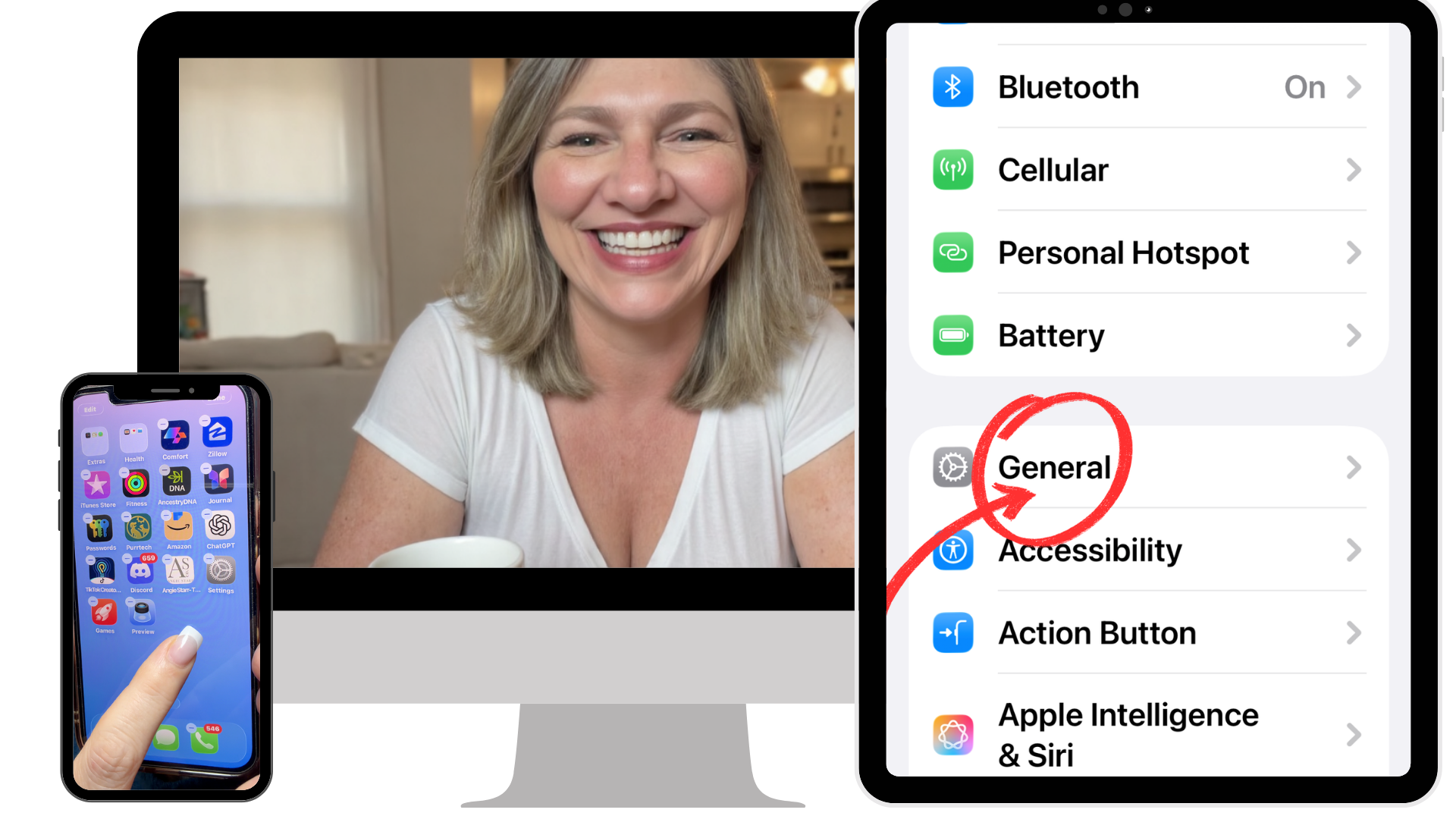
Snag the complete protection plan that stops scam calls from ever reaching your mom or dad... so scammers are stopped without you being on call every time their phone "does something weird."
✔ No apps
✔ No subscriptions
✔ No tech jargon
If she can press play, she can do this.
What's Inside:
The complete protection plan… delivered through simple, step-by-step videos & printable guides that your parent can follow on their own.
In under 30 minutes their phone will:
Block scam calls before they ever ring, while family, friends, and doctors still get through
Filter suspicious texts out of sight
Stop the constant buzzing and dinging
Show them exactly where the apps they want to use are
Go quiet at night without missing anything that matters
No tech experience needed.
You don't have to be there for a single step.
You’re officially off tech support duty.
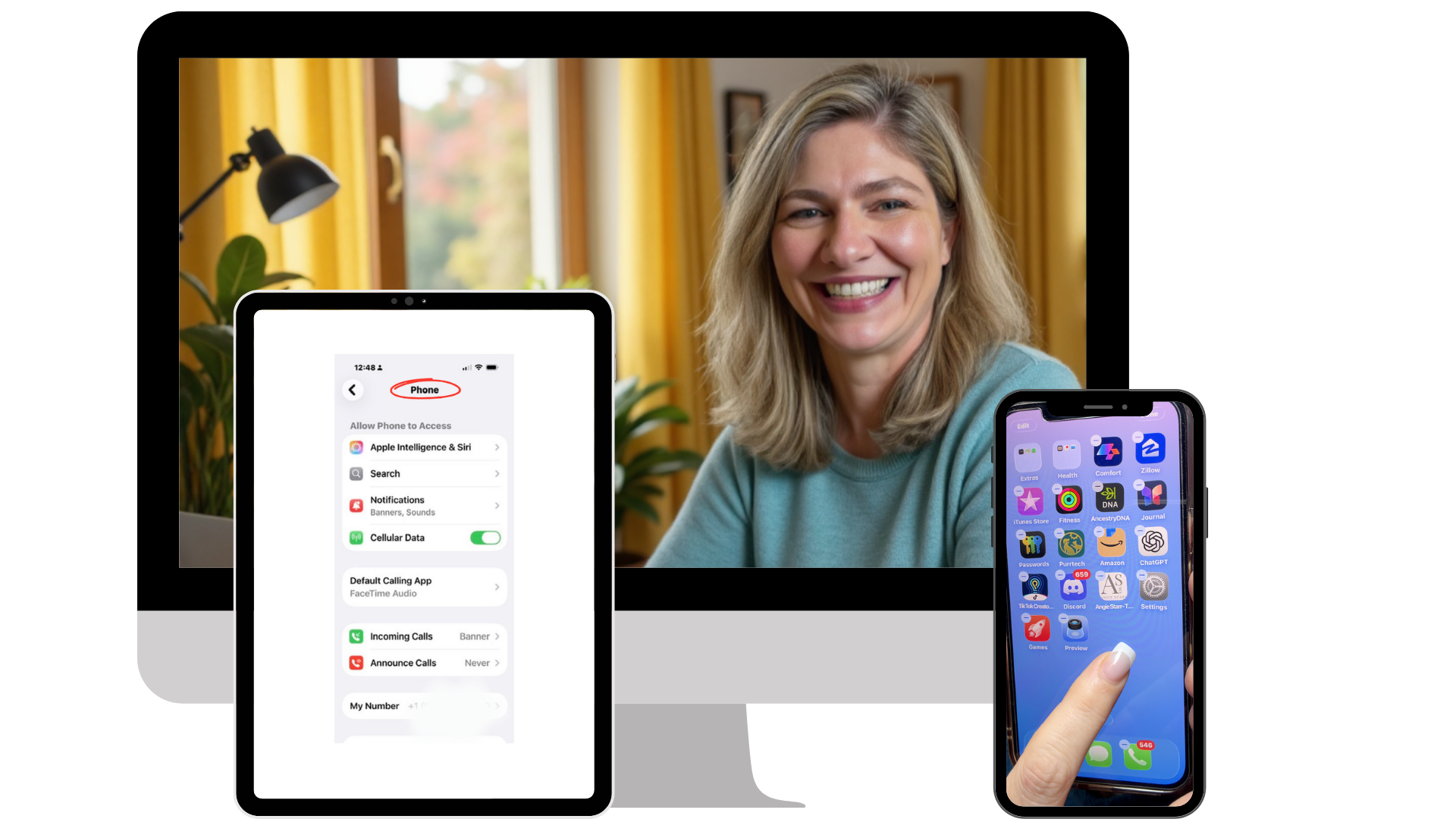
Why This Works:
Most advice focuses on teaching your parent to recognize scams.
But scammers are getting better every day.
This doesn’t rely on awareness.
It removes the calls before they ever reach them.
This is for you if…
✔ You’re the one who answers every call… just in case something’s wrong
✔ You’ve already had the “be careful” conversation… more than once… and it didn’t stick
✔ Every time her name lights up your phone, your stomach drops before you answer
✔ You’re juggling work, kids, life… and still the one she calls when something “looks weird”
✔ You’ve thought about what would happen if she picked up the wrong call… and didn’t catch it in time
✔ You’re tired of being on standby, waiting for the call that changes everything
✔ You don’t want to be her tech support anymore… you just want to be her kid again

Here's What Changes:
She calls. You answer. No bracing. No breath-holding. Just your mom.
The "I need a little help with my phone" calls stop. Not because she’s afraid to ask... because she doesn’t need to anymore.
You stop living on standby, waiting for the one call that changes everything.
Scam calls stop getting through in the first place, which means her life savings stay exactly where it belongs.
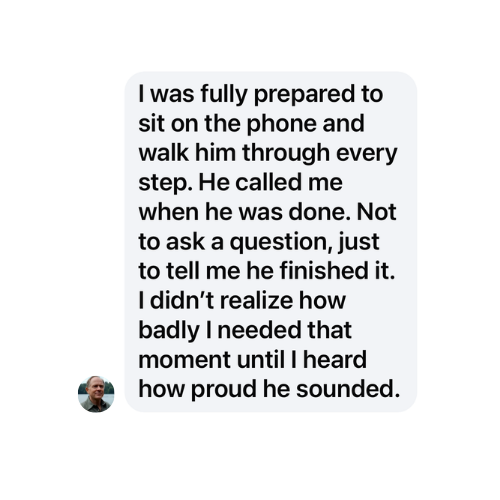
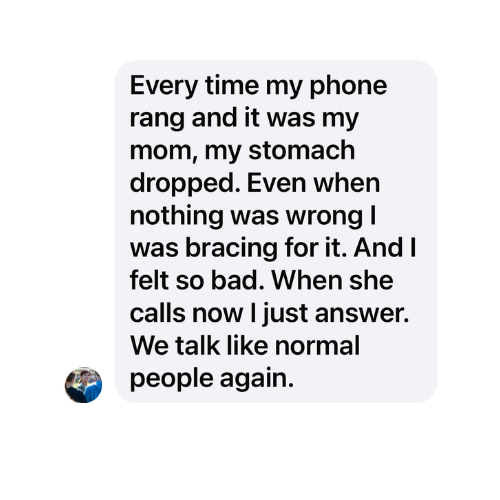
What People are Saying…
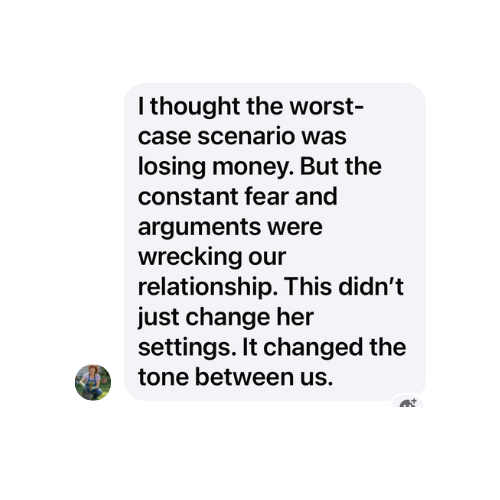
Will This Actually Work For My Parent?
If you’re wondering…
“Okay, but my mom struggles with even basic things…”
You’re not alone.
This was built specifically for parents who:
Have never changed a setting before
Get overwhelmed easily
Call you for the smallest tech questions
Say “I’m just not good with phones”
Each step is:
shown visually
explained slowly
repeatable anytime
No guessing. No memory required.
They don’t need to understand it.
They just need to follow along.
When you do it for her, it works. Until it doesn't.
You sat with her. You moved things around, walked her through it, answered every question. She nodded. You felt good leaving.
Two days later, she couldn't find what you moved. Maybe she called you, frustrated. Maybe she didn't. Because she didn't want to be a burden.
That moment, her sitting alone with a phone that feels like a stranger again, is exactly what this course is designed to prevent.
Here's what the research on aging and technology actually shows: seniors who feel capable and confident with their own devices have better self-rated health, fewer chronic conditions, and less depression.
Not because the phone is magic. Because confidence with technology keeps them connected to family, to help, to the world, and that connection has real, documented effects on how long and how well people live.
But confidence doesn't come from watching someone else do it. It comes from doing it yourself, getting stuck, figuring it out, and realizing you can.
This course gives your mom ownership. She can pause, rewind, and come back to it at 2pm on a weekday when you're at work and something looks wrong. No waiting. No guilt about calling again. No quietly giving up.
She gets the confidence that sticks. You get to stop being the IT help desk and just go back to being her child.
That's not you stepping back. That's you giving her something that actually lasts.
Imagine This Instead
Her name pops up on your phone…
And you don’t feel that drop in your stomach anymore.
She’s not calling because something went wrong.
She’s just calling to talk.
No panic.
No “what happened now?”
No tech support.
Just your mom.

Last month, a woman bought this for her mom after the third "Amazon delivery" text scam in two weeks. Her mom kept calling to ask, "Is this real? Did you order something?"
She sent her mom the protection plan. Her mom followed the videos at her own pace and finished in under an hour.
The next day, a scam text came through. It went straight to the filtered folder. Her mom never saw it. Never panicked. Never called. The scam calls didn’t even come through.
Two weeks later, her mom texted her a photo of her reorganized home screen with the words: "I did this myself."
Why?
Because we stopped trying to teach her to recognize scams in the moment... and instead removed the scams before they ever had a chance to be a problem in the first place.
What's Inside Make Your iPhone Easier
Inside the step-by-step video course, your parent follows a simple guided setup that blocks scam calls, filters suspicious texts, and makes their iPhone easier to use.
Each step is built for the parent who has never changed a setting in their life. If she can press play, she can do this.
No apps. No subscriptions. No monitoring.
Here's exactly what's included:
✓ The Scam-Proof Phone Setup: A guided video walkthrough that stops scammers from ever reaching her while family, friends, and doctors still get through every time.
✓ The Quiet Phone System: A printable guide that stops the buzzing, dinging, and constant interruptions pulling her attention all day. Just the calls and messages that actually matter.
✓ The "Find It Fast" Home Screen Reset: A simple step-by-step system so the apps she actually uses are right where she expects them. Plus one trick that finds any app in seconds. No more "where did that go?" calls.
✓ The Nighttime Protection Routine: A guided video that teaches the setup so her phone goes quiet at night while emergency calls from family still get through. She sleeps better. So do you.
✓ BONUS: The 5-Minute Reset Checklist: A printable checklist they can revisit anytime their phone starts feeling overwhelming again. No starting over.
✓ BONUS: Printable Reference Guides for Every Setup: Step-by-step guides she can keep right by her phone and refer back to anytime. No searching for the video again.
✓ BONUS: Lifetime Access + Free Updates: When Apple updates the iPhone, your access updates too. Whatever changes, she stays protected. No extra cost. Ever.
Regular Price: $197
Today’s Price: $37
Here's what keeps me up at night:
It's not the scam call that happens. It's the one that happens before you finally decide to do something about it.
The call where your mom gives out her bank routing number because the "IRS agent" sounded so official.
The text she clicks on tomorrow while you're at work, draining her checking account before lunch.
The 2 AM call where a calm voice convinces her she's helping her grandson out of jail.
The next call is coming. The only question is whether her phone is set up before it gets through… or after.
The Problem Isn’t That Your Parent Can’t Spot Scams.
The problem is that scammers reach them at all.
I built this because my mom needed it. But really? I needed it.
Every time her name lit up my phone, my stomach dropped.
Not because she calls too much. Not because she’s helpless.
Because I knew one call could change everything.
I didn’t want to brace myself before answering. I just wanted my mom back.
Then one day she called while I was teaching a cybersecurity class.
A text had come through that looked harmless. She clicked it. A pop-up took over her screen. She had already called the number before she reached me. They told her to download something. She didn’t know what they had access to.
I couldn’t leave. I couldn’t help.
And here’s what made it worse… I teach this.
20 years. My specialty? Cybersecurity.
76,000 YouTube subscribers. Over 4.5 million views. All teaching people how to use technology they never thought they could master.
And none of it protected her when she was alone on the phone.
That’s when everything changed.
I stopped trying to teach her to recognize scams. I started removing them before they ever reached her.
Now when she calls… I just pick up.
No bracing. No stomach drop. Just me and my mom.

Take a peek inside…
See exactly what your mom will follow. Step by step. At her own pace. No tech jargon.
If she can press play, she can do this.
Let's be honest:
20 years in the classroom
76,000 YouTube subscribers
4.5 million views
teaching technology to people who thought they'd never understand it.
And I still couldn't protect my own mom with knowledge alone.
This is how people lose $10,000 in minutes.
Not from hackers.
From a phone call.
The FTC reports a 4× increase in adults over 60 losing $10,000+ after answering a call or text that looked completely legitimate.
Bank. Amazon. Medicare. Government.
All fake.
All convincing.
And all it takes is one call.
If your parent’s phone still lets those calls through, it’s not a matter of if… it’s when.
This setup stops them before they ever reach your parent.

Meet Your Teacher
Gin Peterson
I’m a cybersecurity teacher. I know how scammers think. I know their tactics, their scripts, their pressure points.
And none of it mattered when my mom was alone on the phone with one.
You can warn her a hundred times. A thousand. But when she picks up and hears what sounds exactly like your voice, crying, saying she's been in an accident and needs help right now?
Scammers can now clone your voice using 30 seconds of audio from your social media. She won't know it isn't you.
Every warning goes right out the window.
She doesn't need another conversation about being careful.
She needs a phone that stops that call from ever reaching her.
That's why I built this. Not as a cybersecurity course. As a one-time protection plan that removes the risk at the source.
Now I help parents stay safe on their own. And I help you just be their child again.
Frequently Asked Questions
-
No. This is not an app, and you do not install anything on your phone. This is a guided video walkthrough that shows you how to use the safety and filtering tools that already exist on your iPhone, step by step, so they work the way you want them to. Nothing new is added to your phone.
-
You absolutely could. Information is everywhere.
The problem isn’t access. It’s what you’re shown and what you’re not.
I’ve spent years on YouTube, with over 75,000 subscribers and 4.5 million views. I know how the platform works. You don’t see the videos that will help you the most. You see the ones designed to keep you watching longer.
That’s why people end up jumping between videos, hearing different advice, and stopping halfway through… unsure which steps actually apply to their phone or whether they did it right.
This was created to be the opposite of that.
One clear path. Done slowly, in the right order with someone showing you exactly where to tap.
It’s not about learning more.
It’s about setting this up once so it stops taking up space in your head. It’s about doing it right the first time. -
No. At no point do I have access to your phone, your data, your messages, or your calls. All changes are made by you, directly on your own device, following the step by step videos and detailed printable guides.
-
No. That is the opposite of the goal. You will set things up so scam and unknown calls are filtered, risky texts are handled safely, and important people always get through. You are not guessing which calls to answer.
-
No. This is a one time purchase. You pay once and keep access forever. There are no subscriptions, renewals, or surprise charges. You get lifetime access so all additional updates are included at no additional charge.
-
You are getting a course. You receive short, easy to follow video walkthroughs, clear screen recordings showing exactly where to tap, printable step by step guides if you prefer written instructions, and a simple checklist you can use anytime your phone feels off again. You can watch at your own pace, pause, rewind, or repeat as often as you like. Most importantly, you end up with a phone you can use without worry, second-guessing, or stress.
-
Most people can complete the setup in under 30 minutes, but there is no rush. You do not need to do everything at once. You can stop and come back anytime.
-
Yes, this is perfect for you! This was created for people who are smart, capable, and independent, but tired of feeling unsure every time the phone rings or a message appears. Everything is explained in easy to follow language, with no tech jargon.
-
Apple updates its software more often than it changes the phones themselves. This program is based on those software settings, not on a specific phone model.
Your purchase includes lifetime access, so when changes matter, I update the guidance to stay accurate and you have access to those updates.
-
Yes, you can.
If that’s what works best for your situation, go for it.
But here’s the difference…
When your parent goes through the setup themselves, they know exactly what was changed and where to find it.
So when something feels off later, they’re not calling you. They already understand their phone.
That’s what gets you out of tech support for good.
If nothing changes, those calls will still get through.
The ones that sounds real.
Feel urgent.
And catch her off guard.
And by the time she calls you… it’s already done.
She can set this up today.
It takes about 30 minutes.
And once it’s done… those calls don’t get through anymore.